
How to get the most out of GA4: smart settings for better insights
Measuring is knowing, right? But if you do not know what you are measuring, it is of no use to you yet.

Digital Marketer
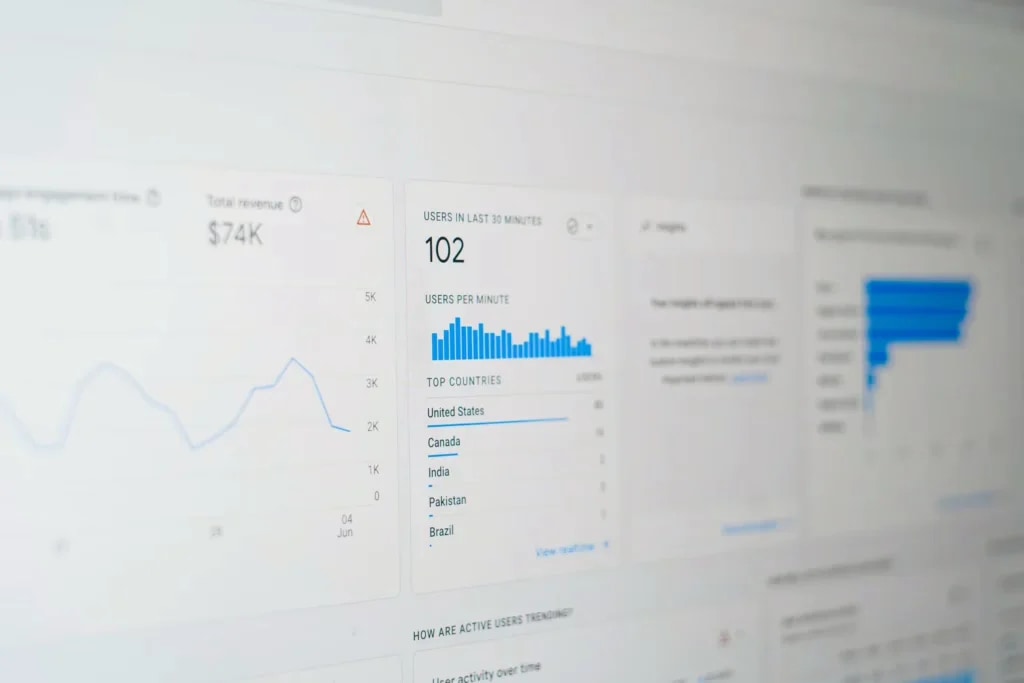
Measuring is knowing, right? But if you do not know what you are measuring, it is of no use to you yet. Google Analytics 4, or GA4, offers an enormous range of possibilities, but only if you set it up properly.
Don't worry: we explain step by step what you need to do to set up GA4 smartly and which figures you really need to keep an eye on.
Start with the basics: install GA4 via Google Tag Manager
Do you want flexibility in what you measure and to make changes easily without diving into the code every time? Then Google Tag Manager (GTM) is a smart choice.You place GTM on your website once, and after that you can easily add or adjust measurement points without needing a developer every time. Ideal if you want to measure conversions and keep them consistent across different advertising channels, now and in the future.
Measure what really matters: set up key events
A visit is nice, but interaction says a lot more. In GA4 everything revolves around ‘events’. Think of:
-
- Clicks on a phone number / email address
-
- Submitting a form
-
- Scrolling deep into a page
-
- Starting a video
You can easily measure these via GTM. That way you see exactly where people drop off or convert, and that is what it is all about.
Keep your data for longer than 2 months
Did you know that by default GA4 only keeps your event data for 2 months? Not convenient if you run longer campaigns or want to compare data over a year. Fortunately, you can easily change that.
Here is how: Go to: Admin > Data settings > Data retention > and choose 14 months.
A small change, a big difference in insight.
Prevent distorted data: exclude internal traffic
You, or your team, regularly visit your own website. That is only natural. But all that internal traffic distorts your statistics. Fortunately, you can exclude it in GA4 based on IP addresses.
Here is how: Go to Admin > Data streams > Configure tag settings > Define internal traffic and add the IP address of your team or office there.
That way you only measure real visitors, and no data from your own bubble.
Create reports that actually tell you something
The standard reports in GA4 give you a reasonable basis, but you often see so much data that it is hard to find what really matters. That is why it is smart to create your own custom reports, focused on what counts for your organisation.
Want to know which campaigns generate the most engagement? Or where visitors drop off? Then you choose which dimensions (such as page, traffic source or device) and metrics (such as session duration or conversion rate) you want to show in your report.
How do you do that?
In GA4, click on an existing report and choose ‘customise report’. Here you can add or remove columns, change dimensions and even apply filters. That way you only see the data that is relevant to you, without getting lost in the rest.
The figures you really need to watch
In the end, it is all about insight. Which data tells you whether your website is performing well, or not? These metrics quickly give you clarity:
-
- Sessions: the number of visits to your site. One user can therefore have multiple sessions if they return more often.
-
- Total users: the number of unique visitors to your site. These are individual people, regardless of how often they return.
-
- Average session duration: the average length of users' sessions.
-
- Bounce rate: the percentage of sessions without engagement.
-
- An engaged session is one that lasts longer than 10 seconds, includes a key event and has 2 or more screen or page views.
-
- Views per session: the number of app screens or web pages a user views per session.
These metrics tell you whether your website is doing what it should, and help you get more out of Google Analytics.
Time to take action
GA4 delivers a lot, but only if you use it well. With the right settings and insights you can optimise in a more targeted way, make better choices and manage campaigns more smartly. It is not rocket science. It starts with a well-configured foundation. That is how you lay the groundwork for better decisions, stronger campaigns and more control over your data.
Need help setting up GA4 or have questions about your measurements? Feel free to contact us, we are happy to think along with you.